 shield
Accept Crypto Payments in RestroPress (Non-Custodial Online Ordering)
If you run online ordering on RestroPress, your customers can already pay by card, PayPal or cash on delivery. With the free Shieldz plugin they can also pay in Bitcoin, USDC, ETH and more, and the order settles straight to your own wallet with no platform fee.
This is the third guide in a set for the same plugin. The others cover WooCommerce stores and donations through GiveWP. Install once, and RestroPress, WooCommerce, EDD and GiveWP on the same site all share the setup.
Why it matters more for a restaurant
Restaurants run on thin margins to begin with, so a 2-4% card processing fee on every order is not a rounding error, it is a meaningful slice of what should have been profit. Third-party delivery apps take an even bigger cut for the same reason processors do: someone is standing between the customer’s money and your account. A restaurant’s own RestroPress ordering page does not have that problem once the payment itself is also fee-free.
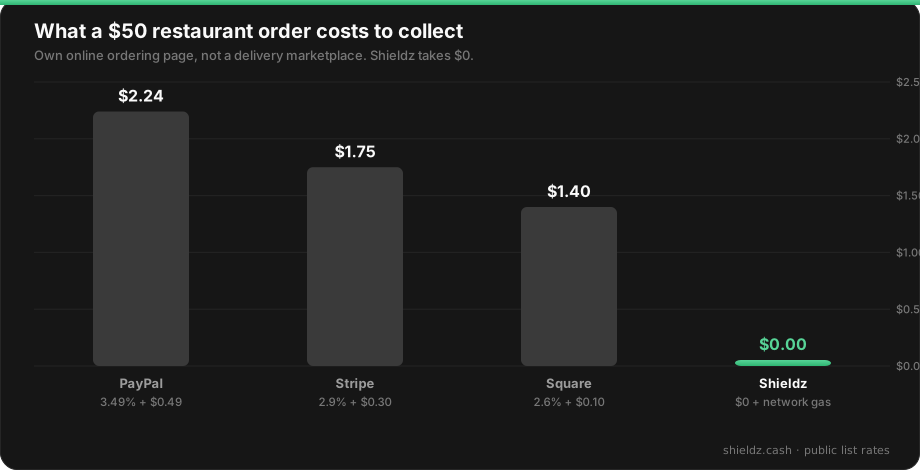
Because Shieldz is non-custodial, the order never sits in a balance you have to withdraw. The customer pays to an address derived from your own wallet, Shieldz confirms the on-chain payment, and the money is already yours.
Step 1 — Install the plugin
Download the plugin and upload it under Plugins → Add New → Upload Plugin, then activate. The plugin detects RestroPress automatically (it is an Easy Digital Downloads fork under the hood) and registers Shieldz as a payment gateway, no separate add-on required.
Step 2 — Enable Shieldz in RestroPress settings
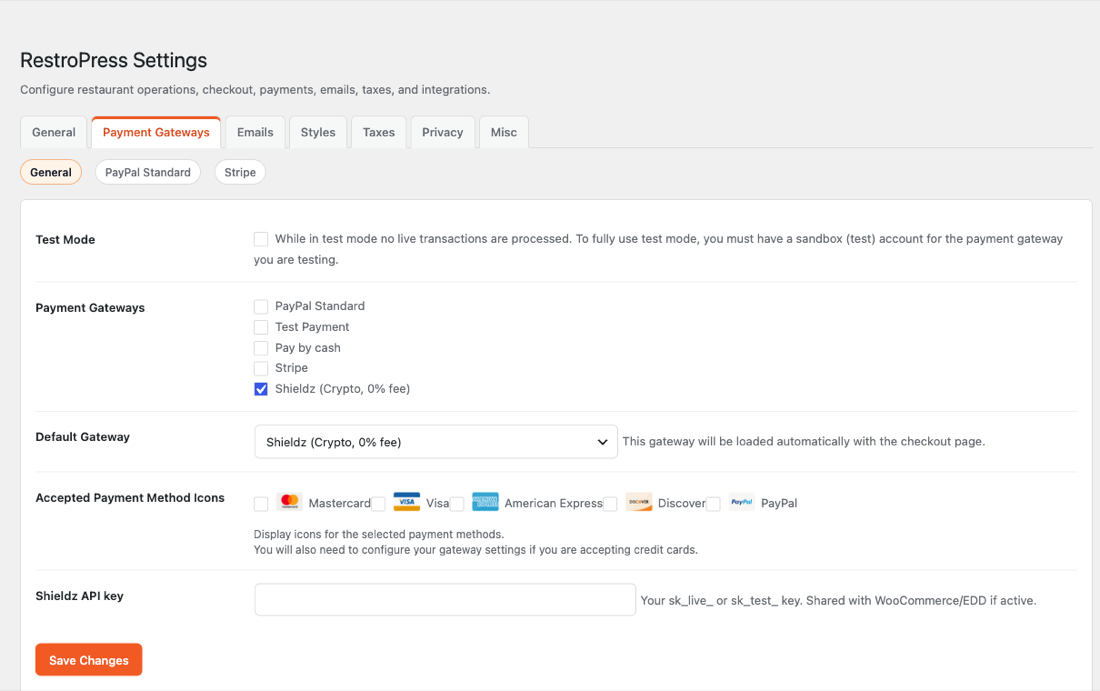
Go to RestroPress → Settings → Payment Gateways, check Shieldz (Crypto, 0% fee), and paste your API key (it is shared automatically with WooCommerce, EDD or GiveWP if you already run one of those on the same site). You can also set Shieldz as the default gateway so it loads first at checkout.
Step 3 — Customers pick crypto at checkout
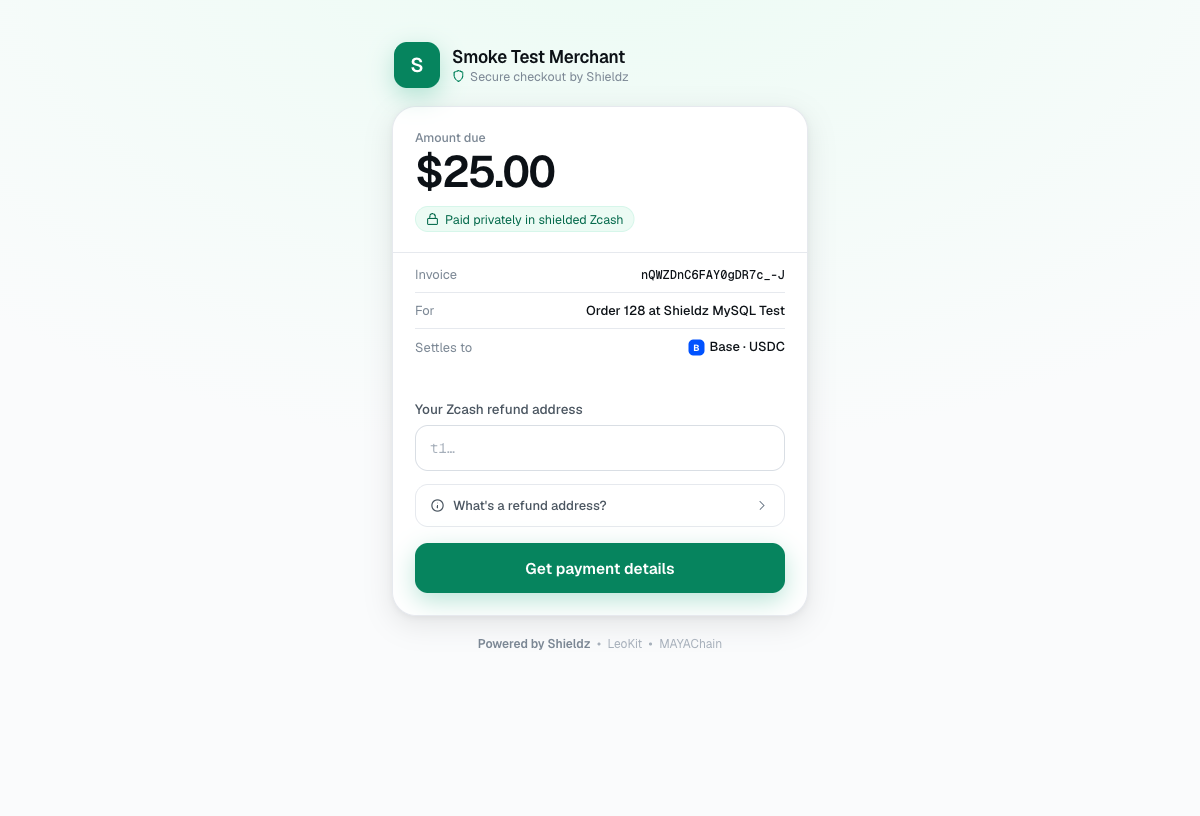
Shieldz now shows up as a payment option when a customer places a food order. They pick the crypto option, confirm the order as usual, and get redirected to a hosted checkout.
Step 4 — They pay any coin, the order settles to you
The customer pays in whatever coin they hold, since Shieldz accepts any supported coin rather than forcing a specific token. Once the payment confirms on-chain, RestroPress marks the order complete automatically through a signed webhook, the same real-time confirmation WooCommerce and EDD orders use.
FAQ
Does this replace my card or cash options? No, Shieldz shows up as one more gateway alongside PayPal, Stripe and pay-by-cash. Customers choose whichever they prefer.
Do I need a developer to set this up? No. It is a checkbox in RestroPress settings plus an API key, the same install used for WooCommerce, EDD and GiveWP.
Does Shieldz hold the funds? No. Orders settle to a wallet address you control; Shieldz never takes custody.
What is the minimum or maximum order size? Crypto orders currently support roughly $1 to $100,000 per order; anything outside that range falls back to your other gateways automatically.
Get started
Download the plugin, enable Shieldz in RestroPress, and start taking crypto orders today. Also selling elsewhere on the same site? The same install covers WooCommerce, digital downloads with EDD and donations with GiveWP. New to accepting crypto? Start with how to accept crypto payments or see the full Shieldz docs.
