 shield
How to Accept Crypto Donations with GiveWP (Non-Custodial)
Shieldz Swap Swap now with shieldz.cash Any coin, any chain · 0.15% fee · no account Swap nowCrypto donors exist, and they give generously, but most WordPress donation forms cannot take their money. If you run fundraising on GiveWP, you can add Bitcoin, USDC, ETH and more with the free Shieldz plugin, keep 100% of every gift, and never hand custody of donations to a third party.
This is the donations guide in a set of four for the same plugin. The others cover WooCommerce stores, digital downloads with EDD, and food orders with RestroPress. Install once, and every platform on the site can take crypto.
Why non-custodial is the right default for a cause
For a nonprofit, custody is not a technicality, it is a governance problem. A custodial processor holds donations, controls the payout schedule, and can freeze a balance. Non-custodial removes all of that: the donor pays to an address derived from your own wallet, Shieldz confirms the on-chain payment, and the funds are already yours. Nothing to withdraw, nothing to freeze. (The mechanics are the same whether you are taking a donation or a store payment.)
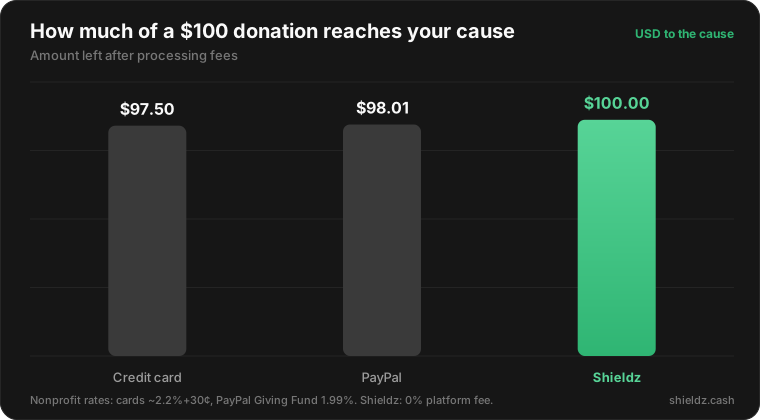
The other win is that more of each gift reaches the mission. Card and PayPal fees quietly skim every donation; Shieldz has a $0 platform fee, so a $100 crypto gift arrives as $100.
Step 1 — Install the plugin
Download the plugin and upload it under Plugins → Add New → Upload Plugin, then activate. The plugin detects GiveWP automatically and registers Shieldz as a donation gateway, no separate add-on required.
Step 2 — Enable the Shieldz gateway in GiveWP
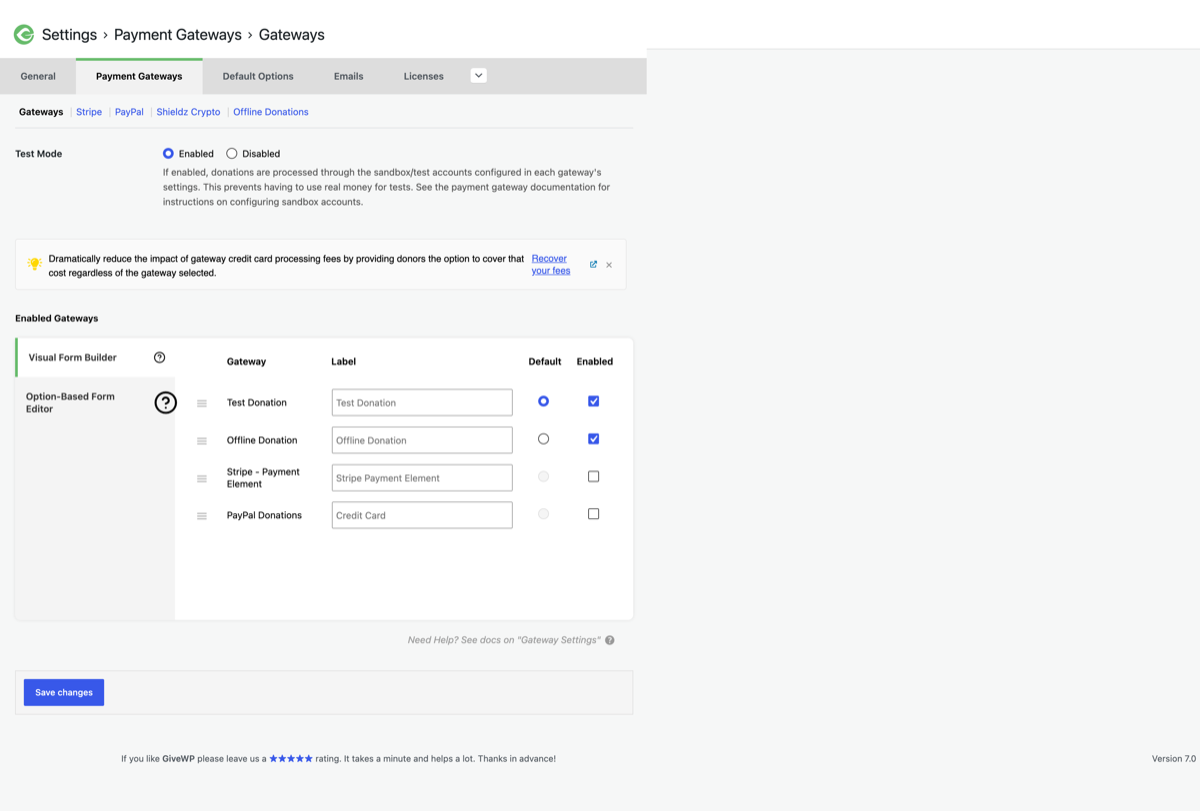
Go to Donations → Settings → Payment Gateways, enable Shieldz (Crypto, 0% fee), and optionally make it your default. In keyless mode you just paste the wallet address where donations should settle; switch to API-key mode if you want signed webhooks and automatic reconciliation for your accounting.
Step 3 — Donors pick crypto on your form
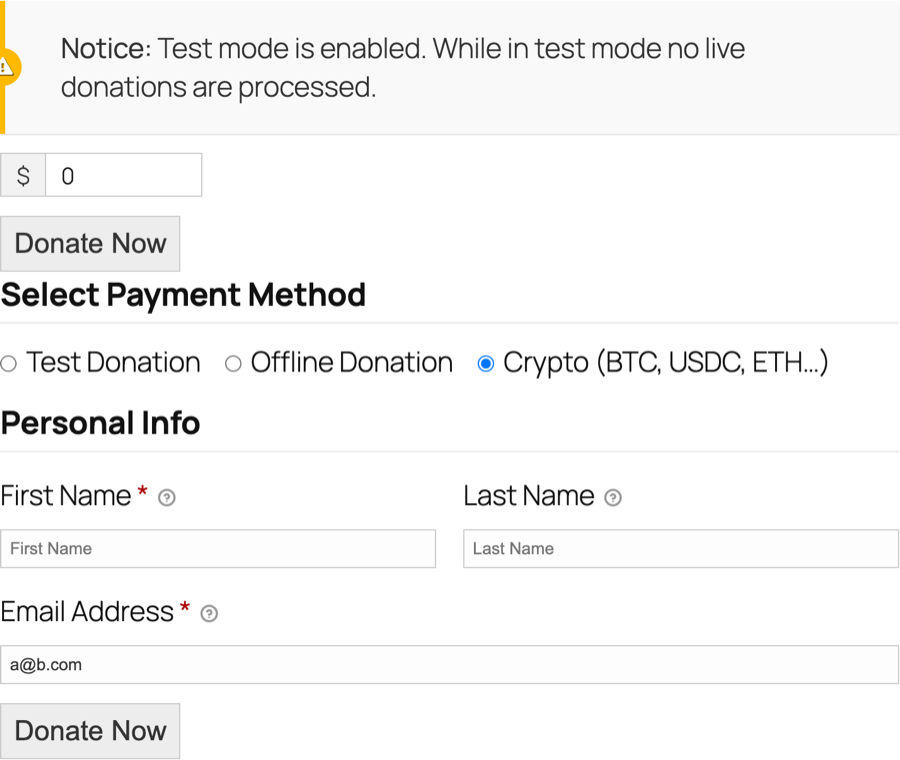
Shieldz now appears as a payment method on your GiveWP donation forms. A supporter chooses the crypto option, fills in the usual details, and continues.
Step 4 — They pay any coin, the gift settles to you
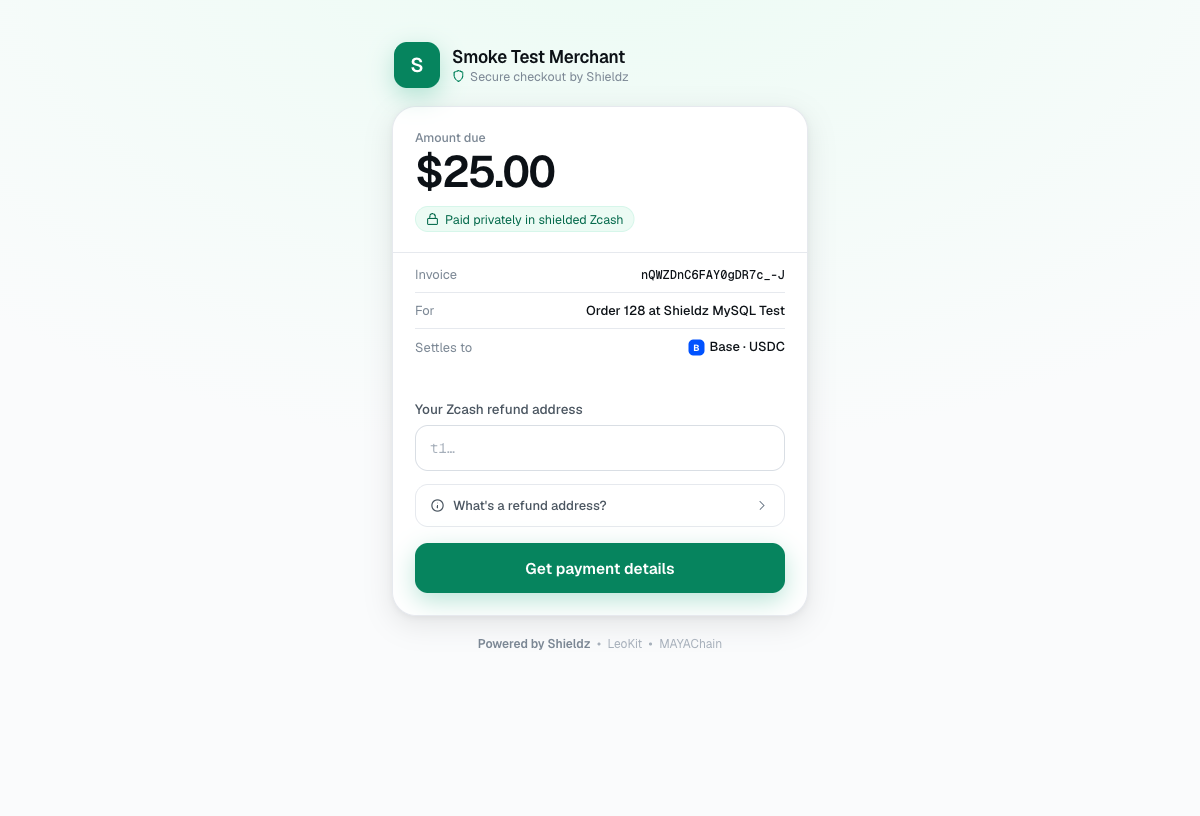
The donor lands on the hosted Shieldz checkout, pays in any supported coin, and the funds settle straight to your wallet. Because it is pay-with-any-coin, you are not forcing supporters to hold a specific token first, they give what they already own. GiveWP records the donation automatically.
FAQ
Is it really free for nonprofits? Yes, $0 platform fee. You only pay the coin’s network fee, and the donor covers that at checkout.
Are donations tax-deductible / trackable? Every donation is recorded in GiveWP with the donor’s details as usual; crypto gifts are receipted like any other. Consult your accountant on deductibility in your jurisdiction.
Does Shieldz hold the donations? No. They settle to an address your organization controls.
Do we need a developer? No. Keyless mode is paste-one-address.
Get started
Download the plugin, enable Shieldz in GiveWP, and start accepting crypto gifts today. Also running a store, selling digital goods, or taking food orders? The same install powers WooCommerce payments, Easy Digital Downloads and RestroPress. New to all this? Start with how to accept crypto payments or compare the best free crypto payment gateways in 2026.
