 shield
Shieldz Payment Widgets: a Crypto Checkout in One Script Tag
Adding crypto checkout to a website shouldn’t take a payments team. Today we’re launching Shieldz Payment Widgets: one script tag, then a buy button, an inline checkout, or your own cart.
Buyers pay from their own wallet. The money goes straight to yours. Shieldz never holds it.
You can try all three on the Shieldz home page. It’s a demo, so no money moves.
One script, three widgets
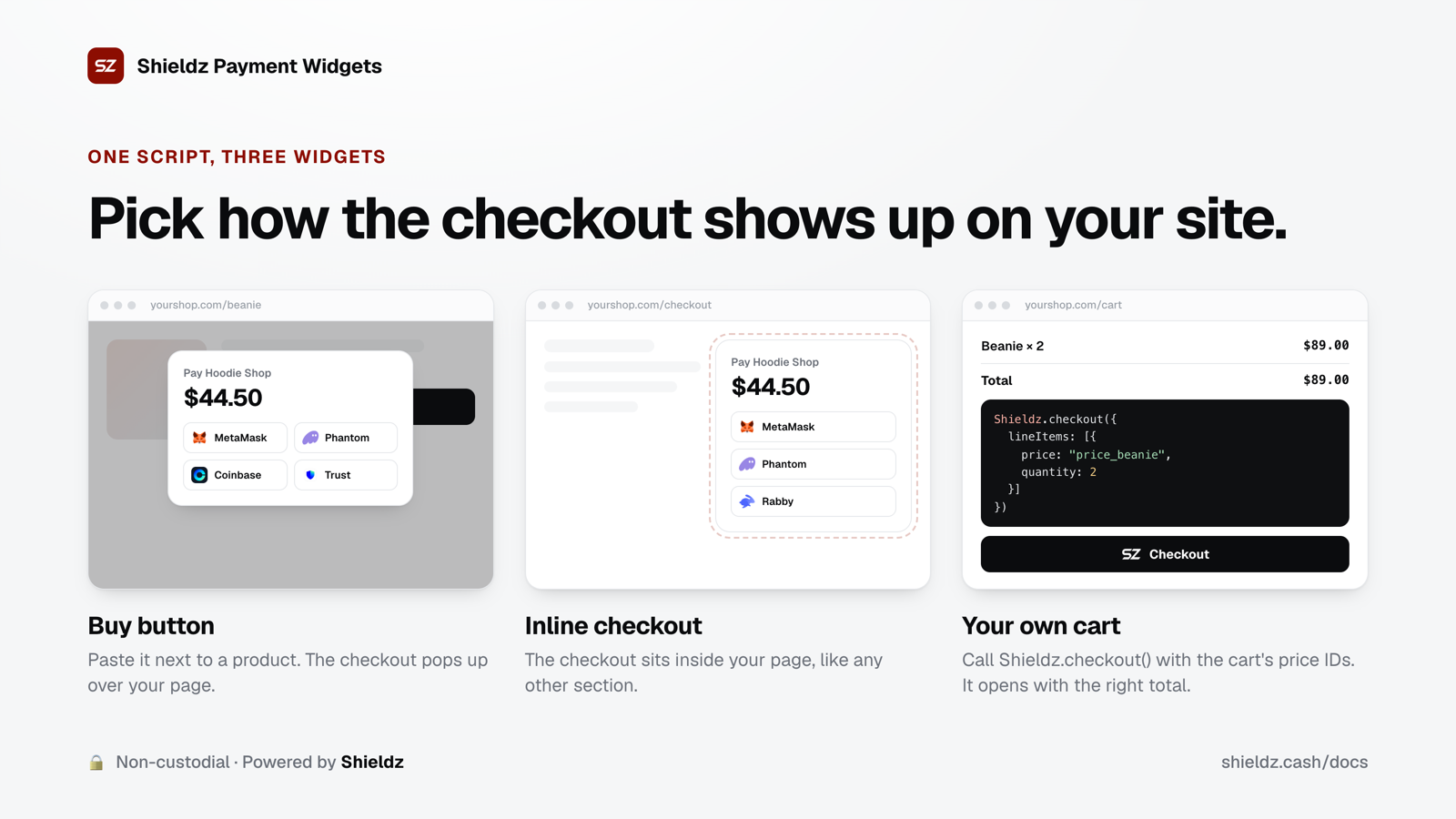
Every widget starts with the same line, once per page:
<script src="https://shieldz.cash/widget.js" defer></script>Then pick how the checkout shows up.
1. Buy button
Make a product and a payment link in your dashboard (Products, then Payment links), and paste a button next to the product:
<button data-shieldz-link="plink_...">Buy now</button>The script turns it into the Shieldz pay button. A click opens the checkout as a popup over your page, so the buyer never leaves your site.
2. Inline checkout
Want the checkout to be part of the page, like a checkout step? Use a div instead:
<div data-shieldz-inline="plink_..."></div>The checkout renders right there and resizes itself as the buyer moves through it, so there’s never a scrollbar inside your page.
3. Your own cart
If you already have a cart, keep it. Turn on carts of price IDs in the dashboard (Quick start → Widget), load the script with your publishable shop key, and start a checkout with the prices in the cart:
<script src="https://shieldz.cash/widget.js" data-key="pk_live_..." defer></script>
<script>
  Shieldz.checkout({
    lineItems: [{ price: "price_...", quantity: 2 }],
    order: "A-1043", // your cart or order id
  });
</script>
The checkout opens with the right total for those items.
The price comes from your catalog, not the page
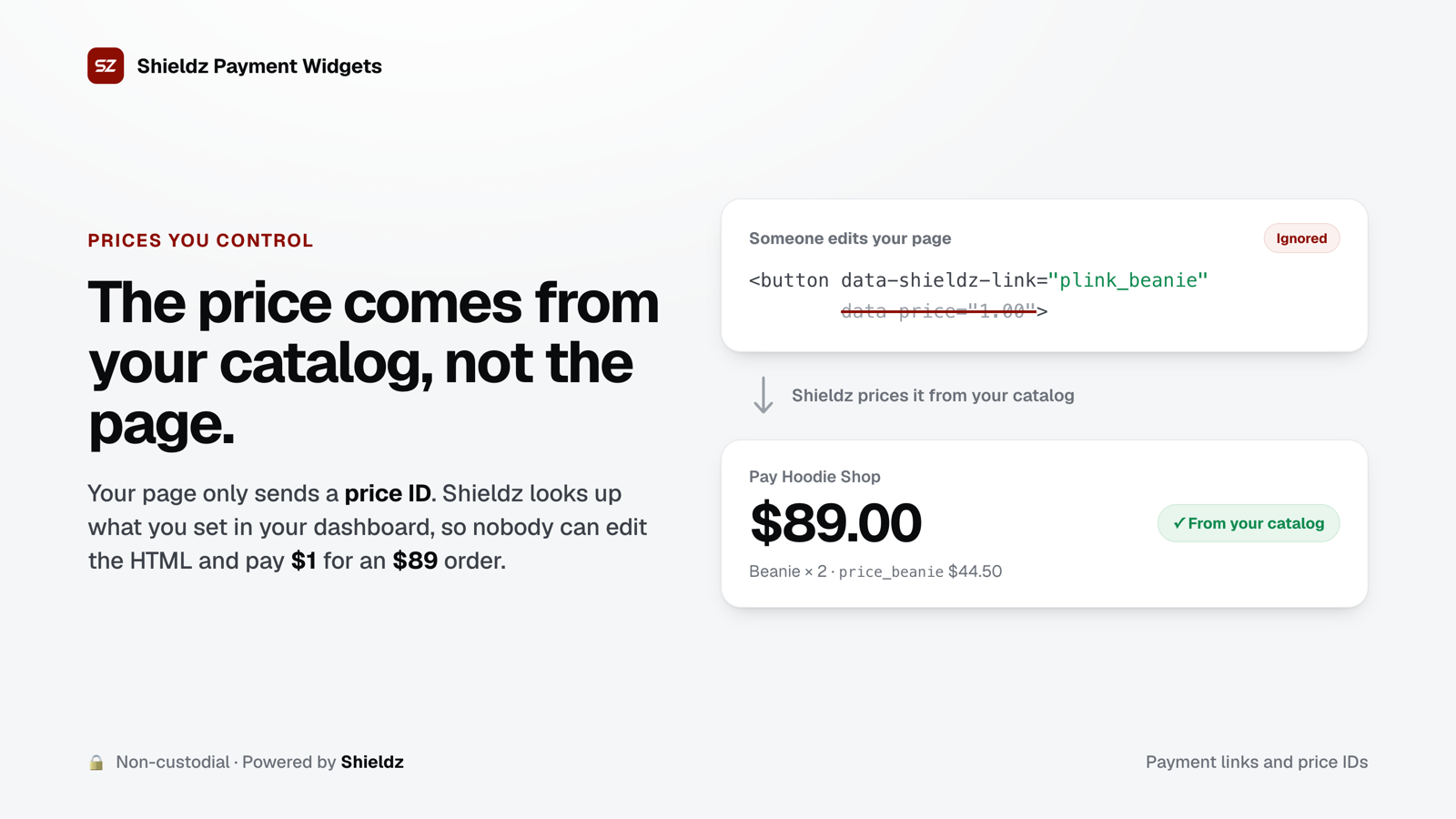
Anything in a web page can be edited by the person looking at it. If a checkout took its total from the page, a buyer could open the developer tools and pay $1 for an $89 order.
So the buy button, the inline checkout and the cart never send an amount. They send a payment link or price IDs, and Shieldz looks up the price you set in your dashboard. Prices also never change once they’re made: a new price replaces the old one. That way an order always matches what the buyer saw.
If your server already computes totals, you can skip the widget and create invoices with your secret key and line_items. It’s the same checkout. The docs cover both.
Buyers pay with the coin they hold
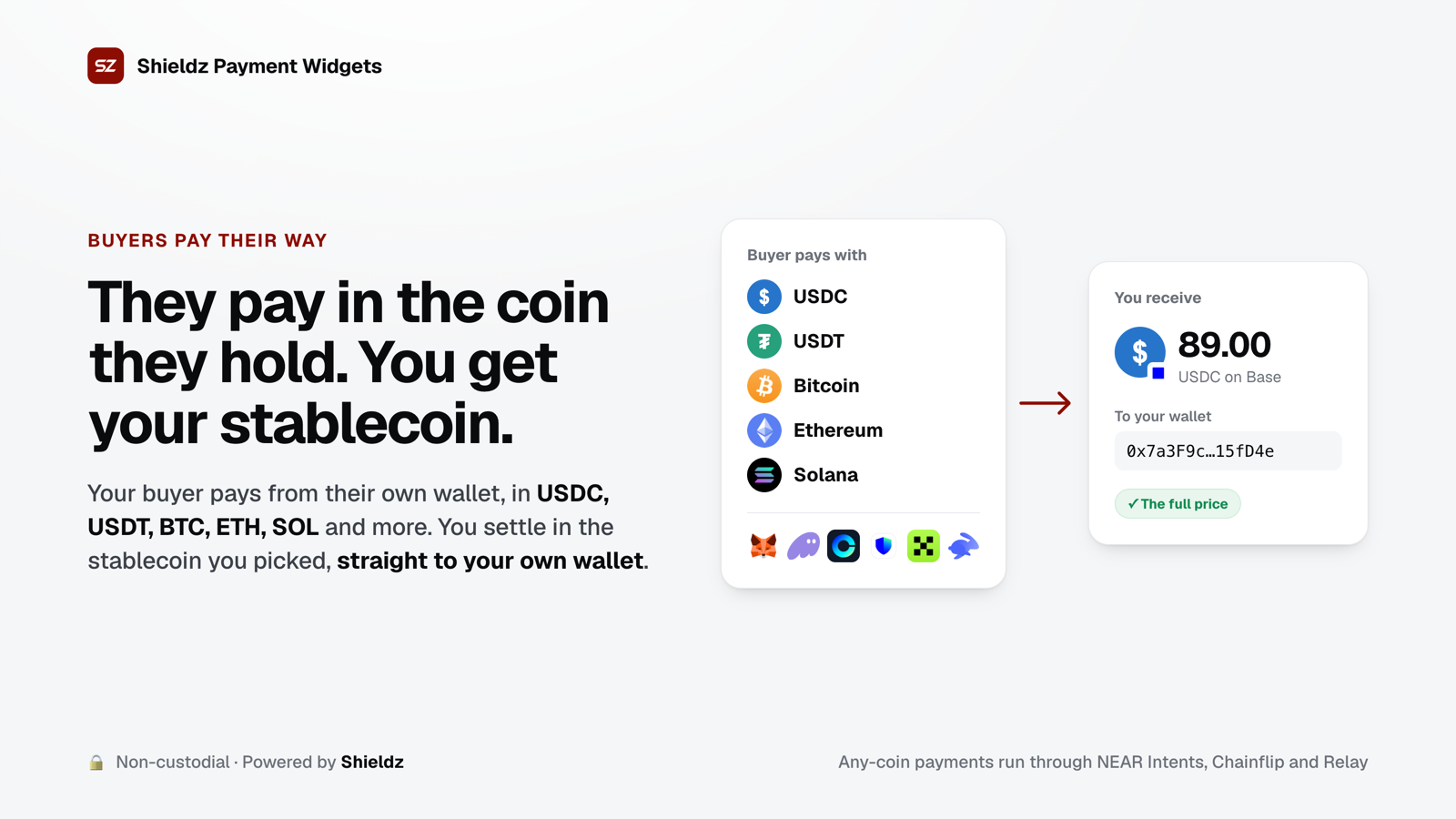
The checkout offers two paths:
- Wallet. Connect MetaMask, Phantom, Coinbase Wallet or another browser wallet and approve one transfer. On a phone, the buyer can open the checkout in their wallet app.
- Send to an address. For exchanges and coins without a browser wallet (Bitcoin, Zcash), the checkout shows a QR code and the exact amount. It notices the payment by itself.
You choose what you receive: USDC or USDT on Base, Arbitrum, Optimism, Polygon or Ethereum, or native Bitcoin, or shielded Zcash. If you turn on pay-with-any-coin, buyers can also pay in coins like ETH, SOL, BTC or BNB. That payment is swapped into your settlement token through independent, non-custodial protocols (NEAR Intents, Chainflip and Relay), and the token lands in your wallet.
Shieldz never holds the money
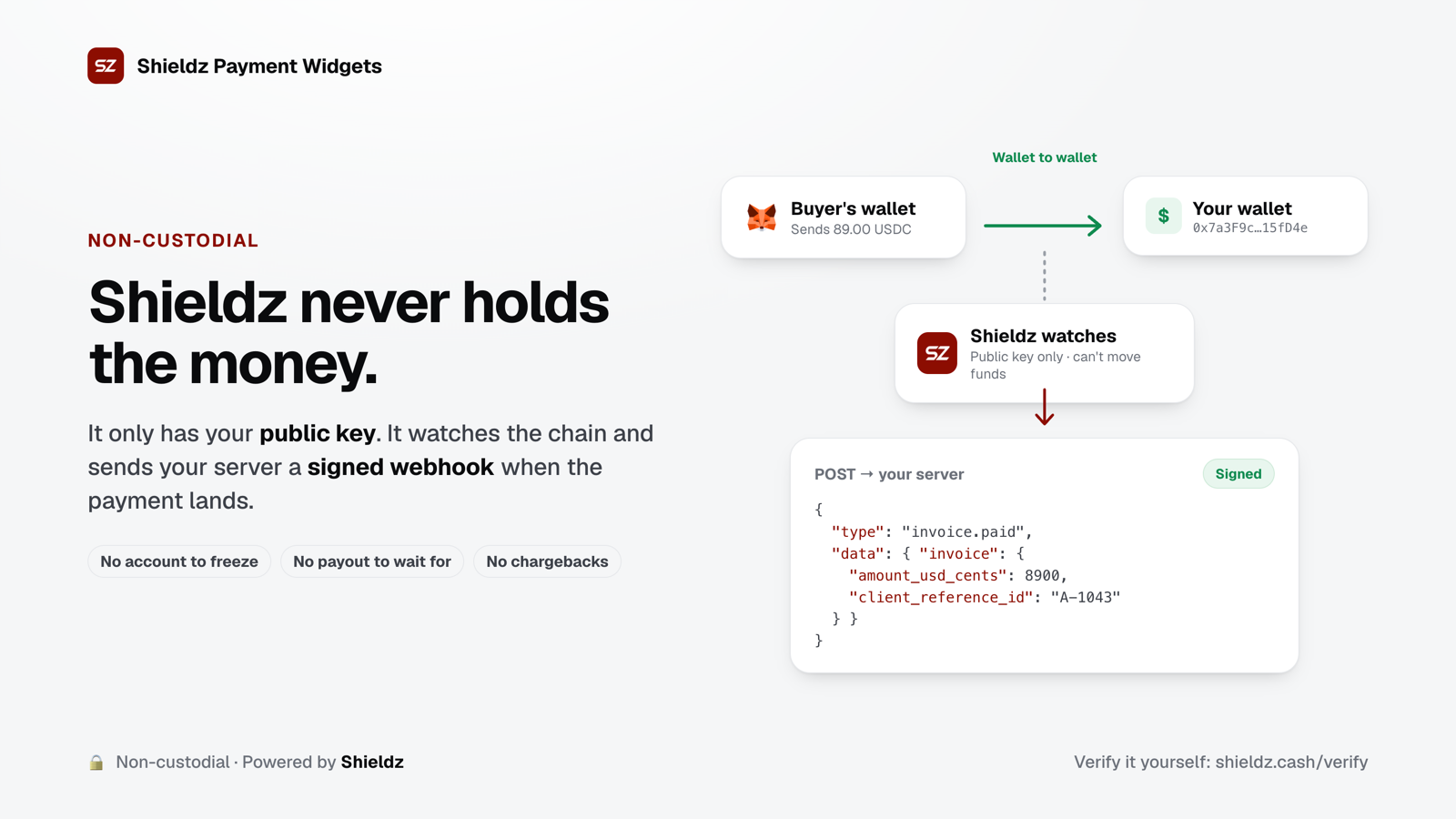
Shieldz only ever has a public receiving key or address, so it can derive payment addresses and watch the chain but can’t move anything. There’s no balance to freeze and no payout to wait for, and on-chain settlement means no chargebacks. You can check this yourself.
When a payment lands, your server gets a signed invoice.paid webhook with the invoice, its line items and your order id. Fulfil orders from that webhook. The page also gets an event for the thank-you screen:
Shieldz.on("paid", (e) => {
  // show a thank-you message; ship from the webhook, not from here
});
What it costs
- You pay no platform fee. A buyer paying in the coin you settle in sends it straight to you, and only the network fee applies.
- Paying in a different coin through the widget costs the buyer 0.15%. That swap fee is added to the buyer’s total, so you still receive the full price. The swap protocols’ own spread and network fees apply to any swap.
- Checkout totals run from $1 to $100,000.
Free accounts show one short sponsored card on the hosted checkout’s confirmation screen. Pro ($99 a month) removes it. Details are on the pricing page.
Get started
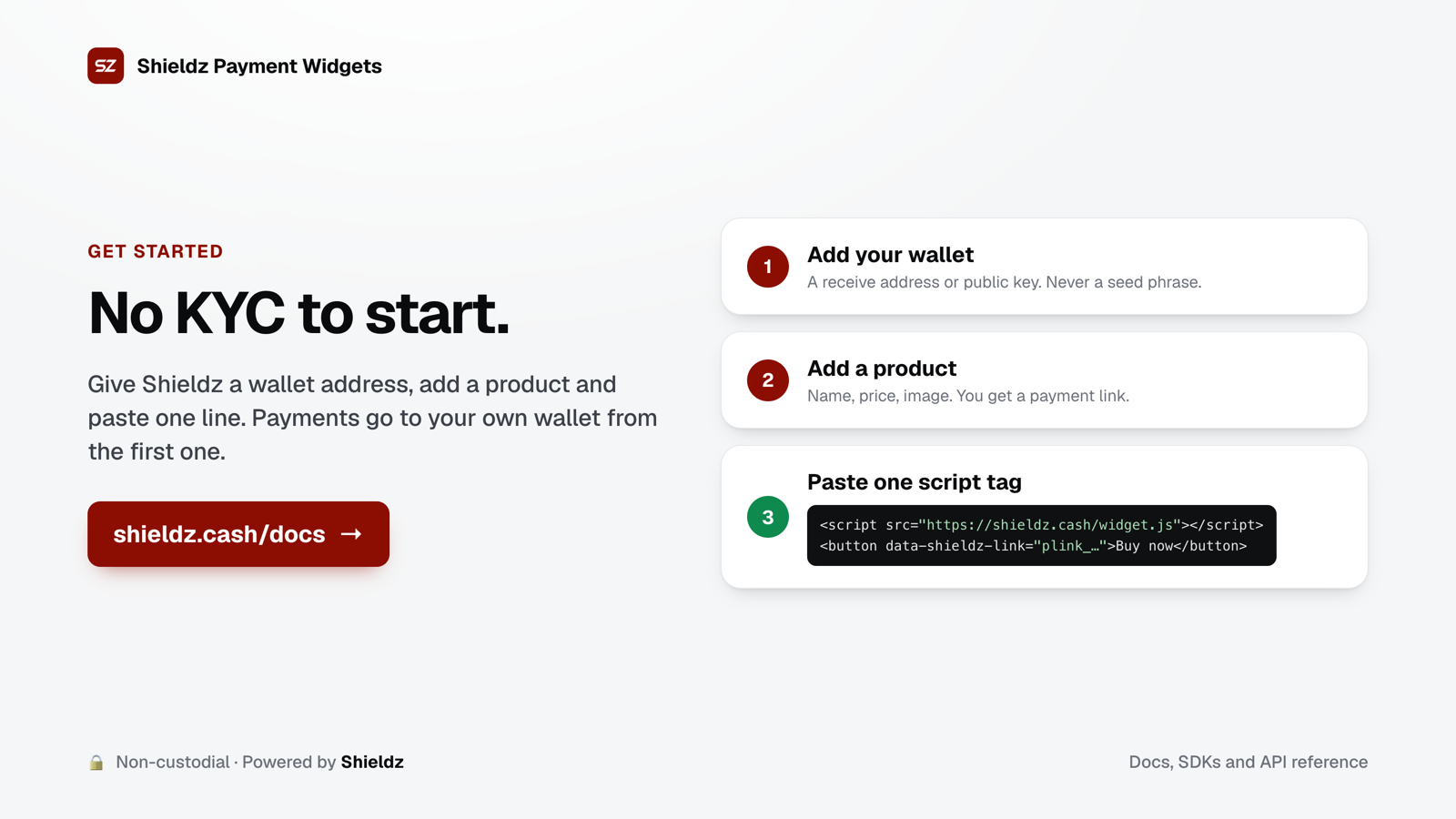
- Add your wallet. A receive address or a public key. Shieldz never asks for a seed phrase.
- Add a product. Name, price and image. You get a payment link.
- Paste the script tag and a button, an inline
divor aShieldz.checkout()call.
You don’t need KYC to start. Create a free account, or read the widget docs first.
FAQ
Do I need a backend? No. A buy button or inline checkout with a payment link works on any static site. Add a webhook endpoint when you want to fulfil orders automatically.
Can a buyer change the price? Not with payment links or price IDs. The total comes from your catalog, not from the page.
Does the widget show ads? No. Embedded checkouts never show the sponsored card.
Is there a test mode?
Invoices created with an sk_test_... key let you simulate a paid payment end to end, with real webhooks and no chain. Payment links and products always take real payments, so to try a priced checkout without real money, create a test invoice with line_items.
